Feature vision / Product concept / In development
Thread Analyzer
See your network. Understand your home.
A visual command center for Matter and Thread. Explore connections, explain problems and guide supported improvements.
Product concept / Illustrative data. These are proposed interfaces, not controls connected to your home. Planned capabilities require validation. Native-Matter device-control scope remains unchanged.
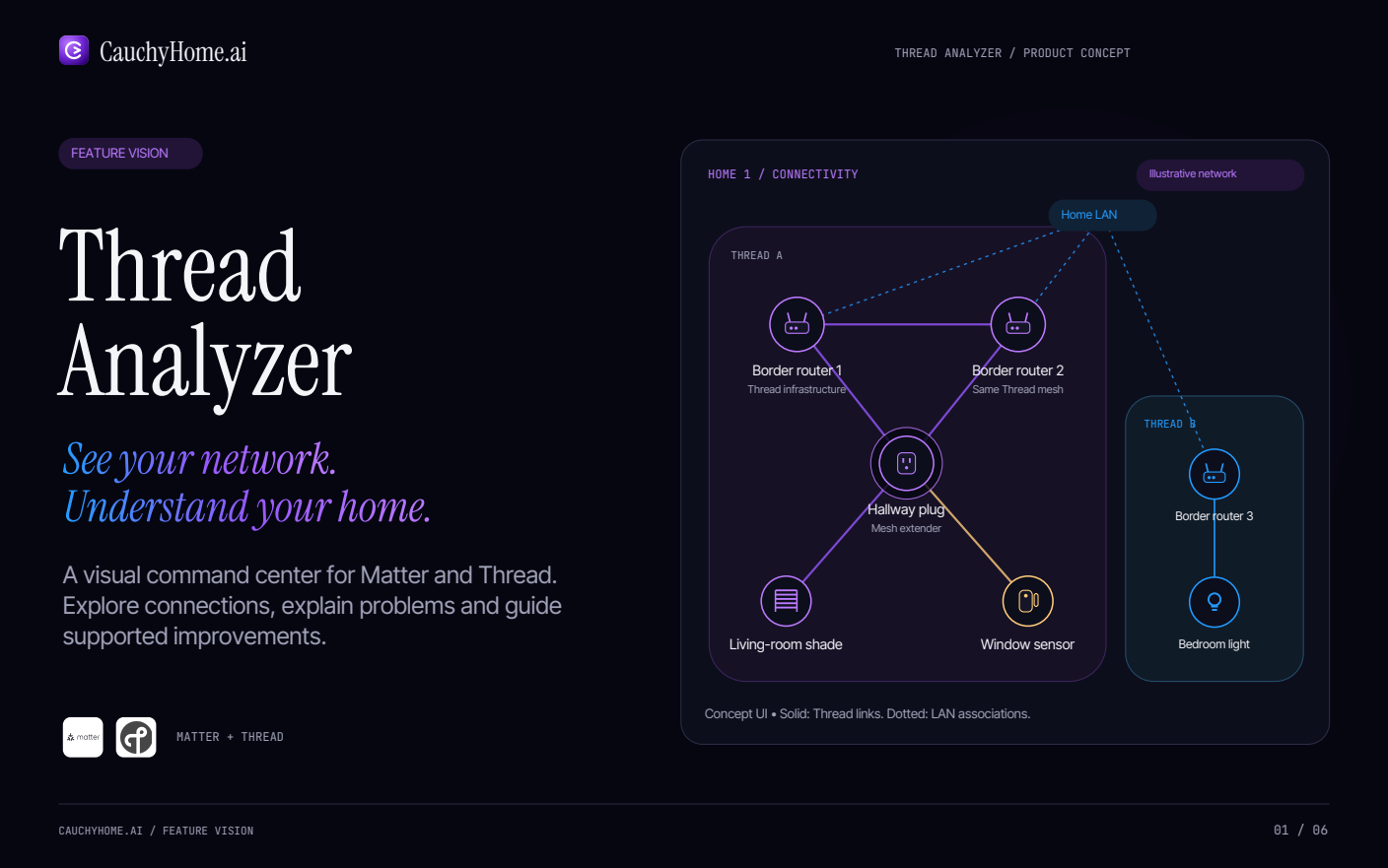
Home 1 / Connectivity
Illustrative network: Home LAN associates with three border routers. Thread A contains Border router 1 (Thread infrastructure), Border router 2 (Same Thread mesh), Hallway plug (Mesh extender), Living-room shade and Window sensor. Thread B contains Border router 3 and Bedroom light.
Matter + Thread
Concept UI • Solid: Thread links. Dotted: LAN associations. Multiple border routers can serve the same Thread mesh. In Thread A, both border routers link to each other and to the hallway plug; the plug links to the shade and sensor. In Thread B, border router 3 links to the bedroom light.
01 / Explore · Product concept
Your home, beautifully connected.
Zoom from the whole network into a single device. Keep connectivity and control in separate layers.
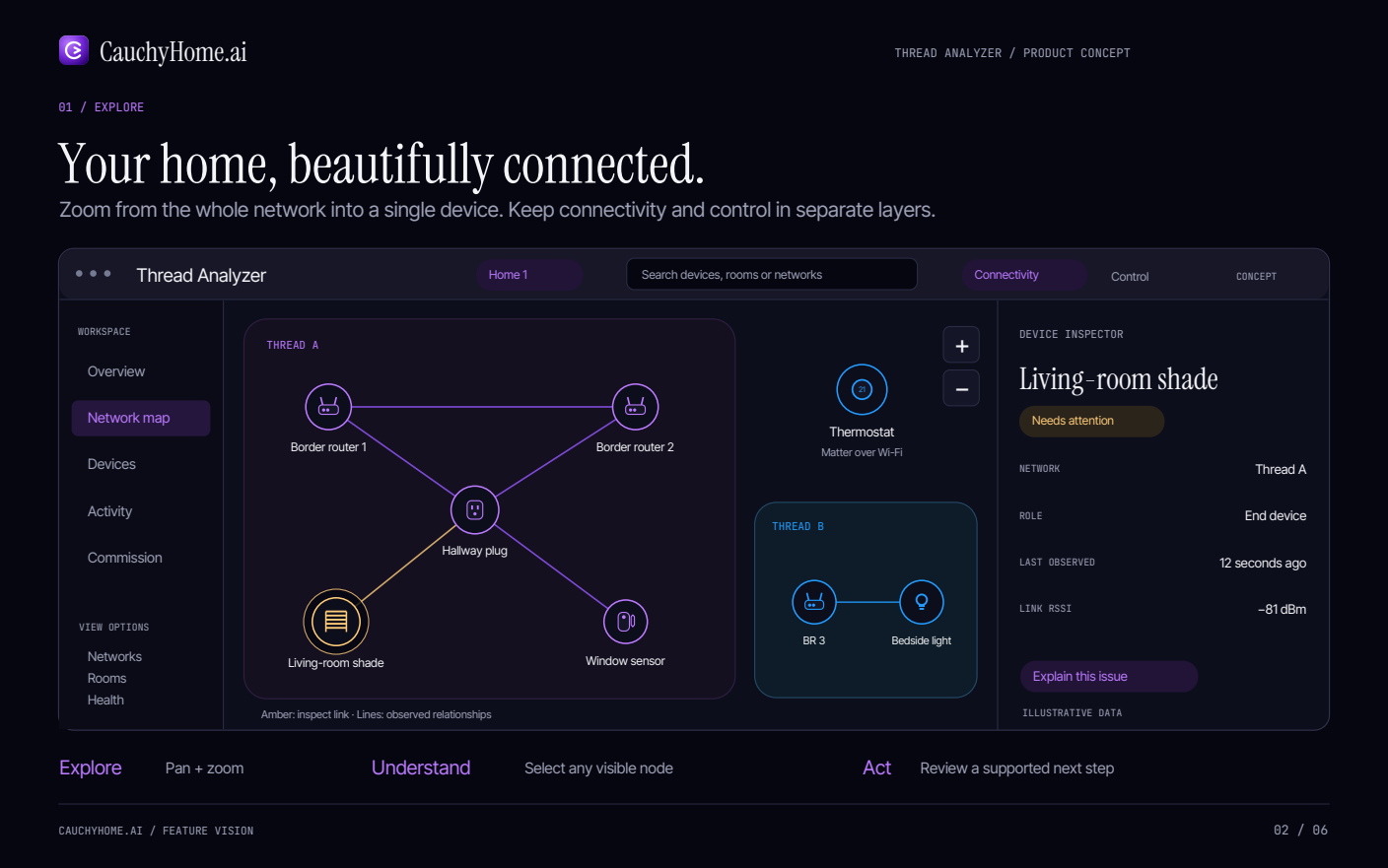
Explore · Pan + zoom
Thread Analyzer / Home 1. Search devices, rooms or networks. Separate Connectivity and Control layers. Workspace: Overview, Network map, Devices, Activity, Commission. View options filter Networks, Rooms and Health.
Thread A shows Border router 1, Border router 2, Hallway plug, Living-room shade and Window sensor. Thread B shows BR 3 and Bedside light. The Thermostat (21) uses Matter over Wi-Fi and sits outside both Thread clusters.
Understand · Select any visible node. Act · Review a supported next step.
Device inspector / Illustrative data
- Device
- Living-room shade
- Health
- Needs attention
- Network
- Thread A
- Role
- End device
- Last observed
- 12 seconds ago
- Link RSSI
- −81 dBm
Explain this issue. Amber: inspect link · Lines: observed relationships. All metrics are illustrative.
02 / Understand · Product concept
From a red flag to a clear next step.
Cauchy connects diagnostic evidence with device history, room context and your household’s experience.
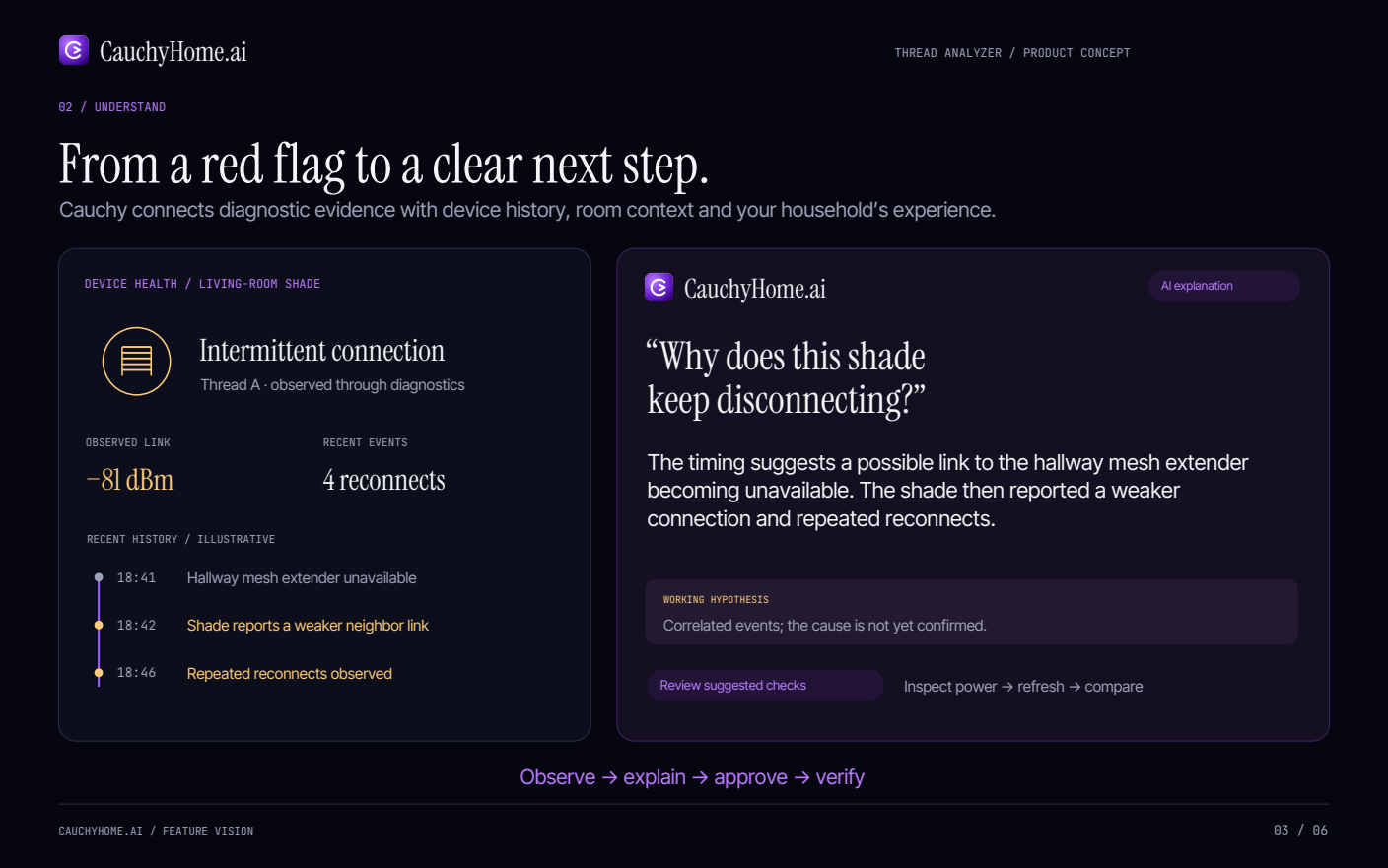
Device health / Living-room shade
Intermittent connection. Thread A · observed through diagnostics. Observed link: −81 dBm. Recent events: 4 reconnects.
Recent history / Illustrative
- 18:41Hallway mesh extender unavailable
- 18:42Shade reports a weaker neighbor link
- 18:46Repeated reconnects observed
AI explanation
“Why does this shade keep disconnecting?”
The timing suggests a possible link to the hallway mesh extender becoming unavailable. The shade then reported a weaker connection and repeated reconnects.
Working hypothesis
Correlated events; the cause is not yet confirmed.
Review suggested checks: Inspect power → refresh → compare.
Observe → explain → approve → verify
03 / Connect & manage · Product concept
A guided setup. A visible outcome.
Bring supported devices into Cauchy, with the intended home, network and permissions made explicit.
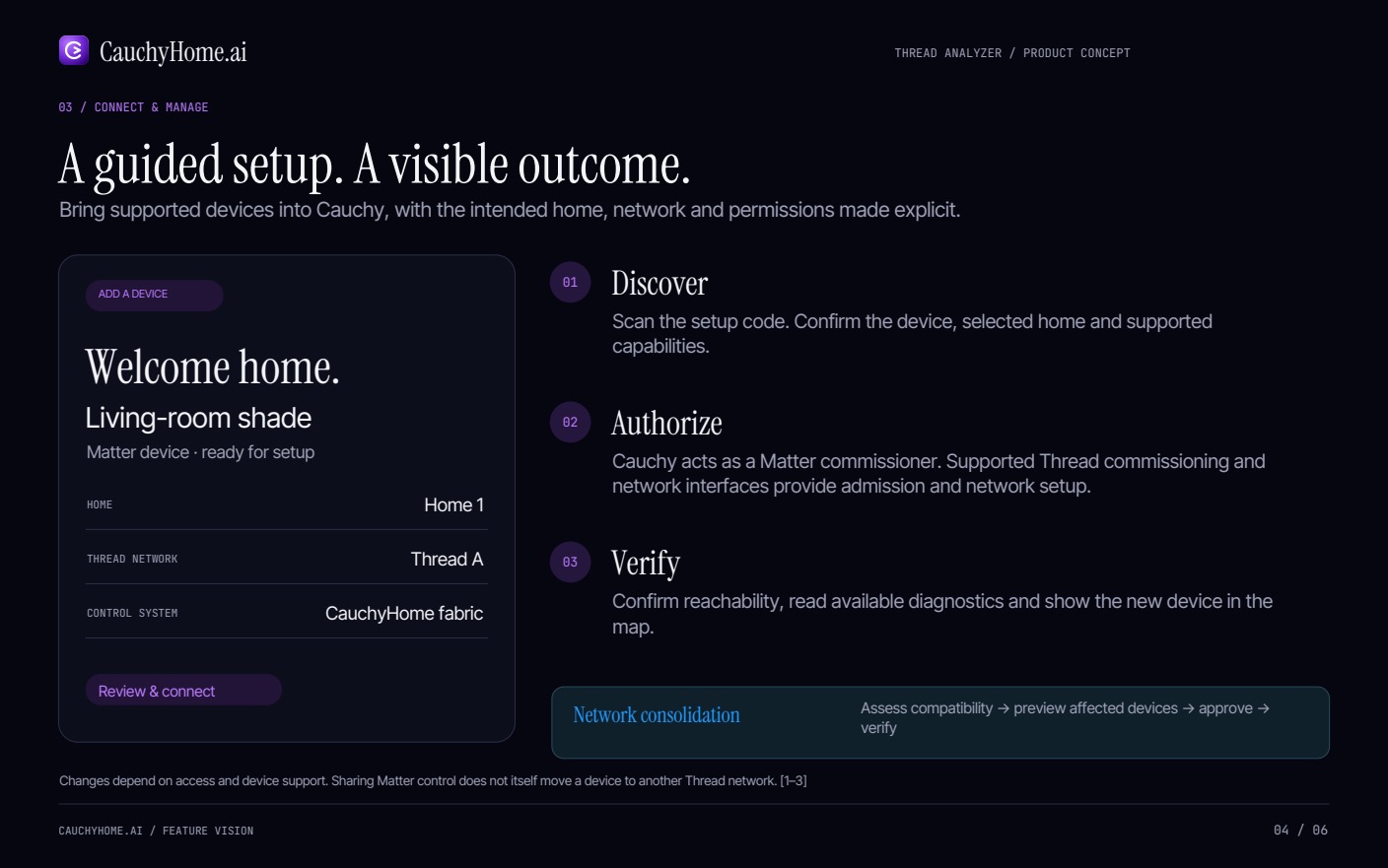
Add a device · Welcome home.
Living-room shade. Matter device · ready for setup.
- Home
- Home 1
- Thread network
- Thread A
- Control system
- CauchyHome fabric
Review & connect — an illustrated review, not a live commissioning control.
01 / Discover
Scan the setup code. Confirm the device, selected home and supported capabilities.
02 / Authorize
Cauchy acts as a Matter commissioner. Supported Thread commissioning and network interfaces provide admission and network setup.
03 / Verify
Confirm reachability, read available diagnostics and show the new device in the map.
Network consolidation
Assess compatibility → preview affected devices → approve → verify.
Changes depend on access and device support. Sharing Matter control does not itself move a device to another Thread network. [1–3]
04 / Architecture · Product concept
One home. Three distinct layers.
The Mac mini hosts Cauchy’s software. A separate supported border router provides access to the Thread mesh.
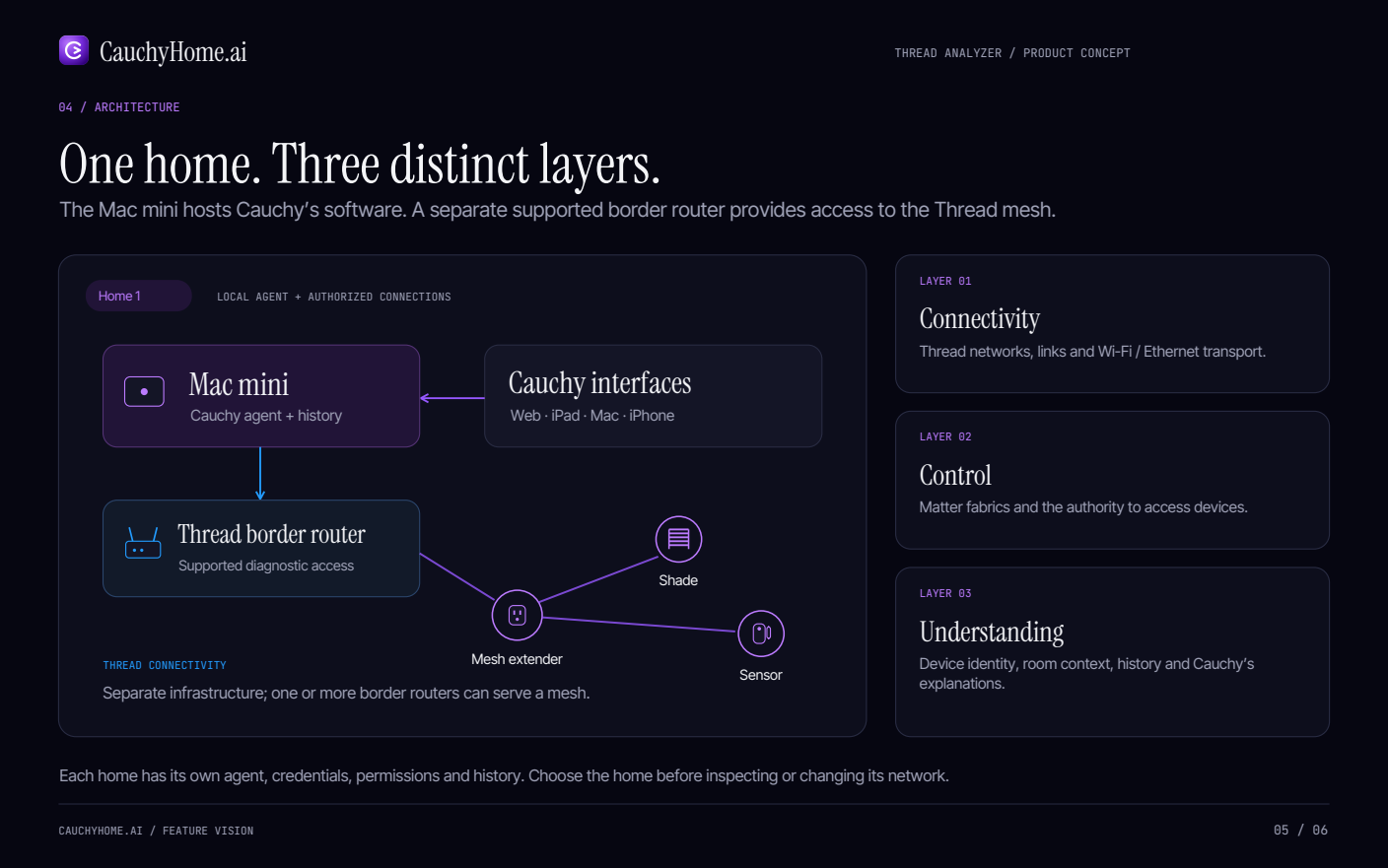
Home 1 / Local agent + authorized connections
Cauchy interfaces: Web · iPad · Mac · iPhone → Mac mini: Cauchy agent + history → Thread border router: Supported diagnostic access → Mesh extender → Shade and Sensor.
Thread connectivity: Separate infrastructure; one or more border routers can serve a mesh.
Layer 01 / Connectivity
Thread networks, links and Wi-Fi / Ethernet transport.
Layer 02 / Control
Matter fabrics and the authority to access devices.
Layer 03 / Understanding
Device identity, room context, history and Cauchy’s explanations.
Each home has its own agent, credentials, permissions and history. Choose the home before inspecting or changing its network.
05 / The Cauchy difference · Product concept
A network that becomes easier to live with.
The opportunity: connect visibility, household context and verified follow-through in one managed experience.
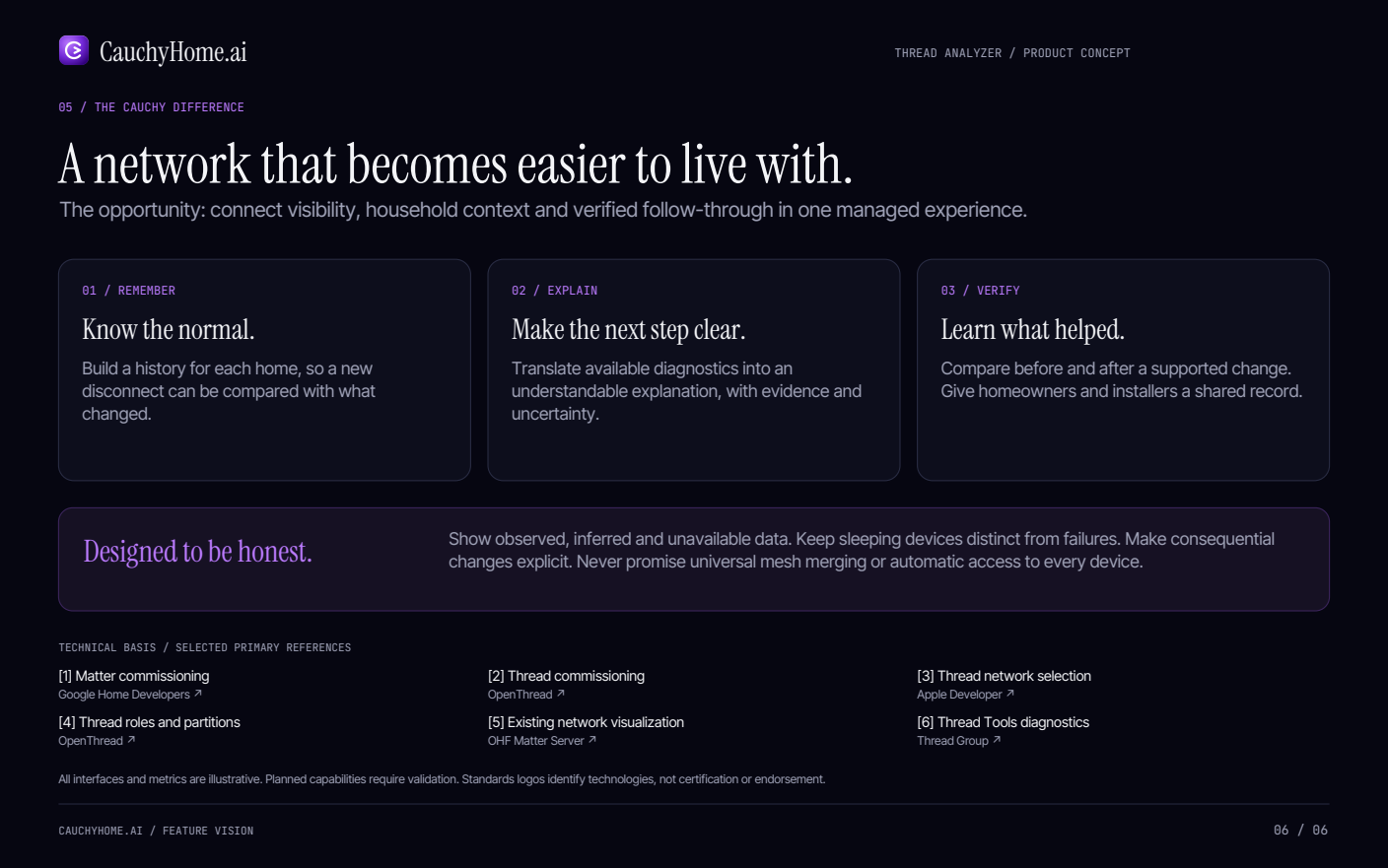
01 / Remember
Know the normal.
Build a history for each home, so a new disconnect can be compared with what changed.
02 / Explain
Make the next step clear.
Translate available diagnostics into an understandable explanation, with evidence and uncertainty.
03 / Verify
Learn what helped.
Compare before and after a supported change. Give homeowners and installers a shared record.
Designed to be honest.
Show observed, inferred and unavailable data. Keep sleeping devices distinct from failures. Make consequential changes explicit. Never promise universal mesh merging or automatic access to every device.
Technical basis / Selected primary references
- [1] Matter commissioningGoogle Home Developers (opens in a new tab)
- [2] Thread commissioningOpenThread (opens in a new tab)
- [3] Thread network selectionApple Developer (opens in a new tab)
- [4] Thread roles and partitionsOpenThread (opens in a new tab)
- [5] Existing network visualizationOHF Matter Server (opens in a new tab)
- [6] Thread Tools diagnosticsThread Group (opens in a new tab)
All interfaces and metrics are illustrative. Planned capabilities require validation. Standards logos identify technologies, not certification or endorsement.