Web
Foundation first
Home selection, settings and remote control.

In development
CauchyHome is being built to learn your household’s preferences, adapt when you correct it, and make everyday home control feel easier. One account for all your homes. A local Mac mini in each home. You decide what it may do.
Room and screen concept. Apple hardware is a visual reference; Cauchy connections are not confirmed. Pink and green HomePod mini 2 palette. Shown blinds are a design reference, not a confirmed launch device.
01 / The everyday work
Setting up a smart home is only the beginning. Routines go stale, preferences change and shared rooms need compromise. CauchyHome’s goal is to reduce the work of keeping the home comfortable.
02 / How it learns
Illustrative scene / living-room blinds
Cauchy closes the living-room blinds at sunset. You reopen them.
“Was that just for tonight, or should I keep the view open when you’re entertaining?”
You approve the exception. Cauchy updates the routine and checks whether it needs fewer corrections next time.
A one-off override is evidence to interpret—not an automatic permanent rule.
Learning quality, fewer corrections and less maintenance are outcomes for the pilot to prove.
03 / One account, every home
Select Home 1, then see the people, rooms, devices and routines that belong there. Every home has its own always-on Mac mini.
Your account manages home membership and selected transferable preferences; each home retains its own credentials, permissions and routines.
The active home stays explicit.
If a request is ambiguous, Cauchy asks.
Selected home
One local Mac mini
Its own household memory
Its own permissions and routines
Additional home
One local Mac mini
Its own household memory
Its own permissions and routines
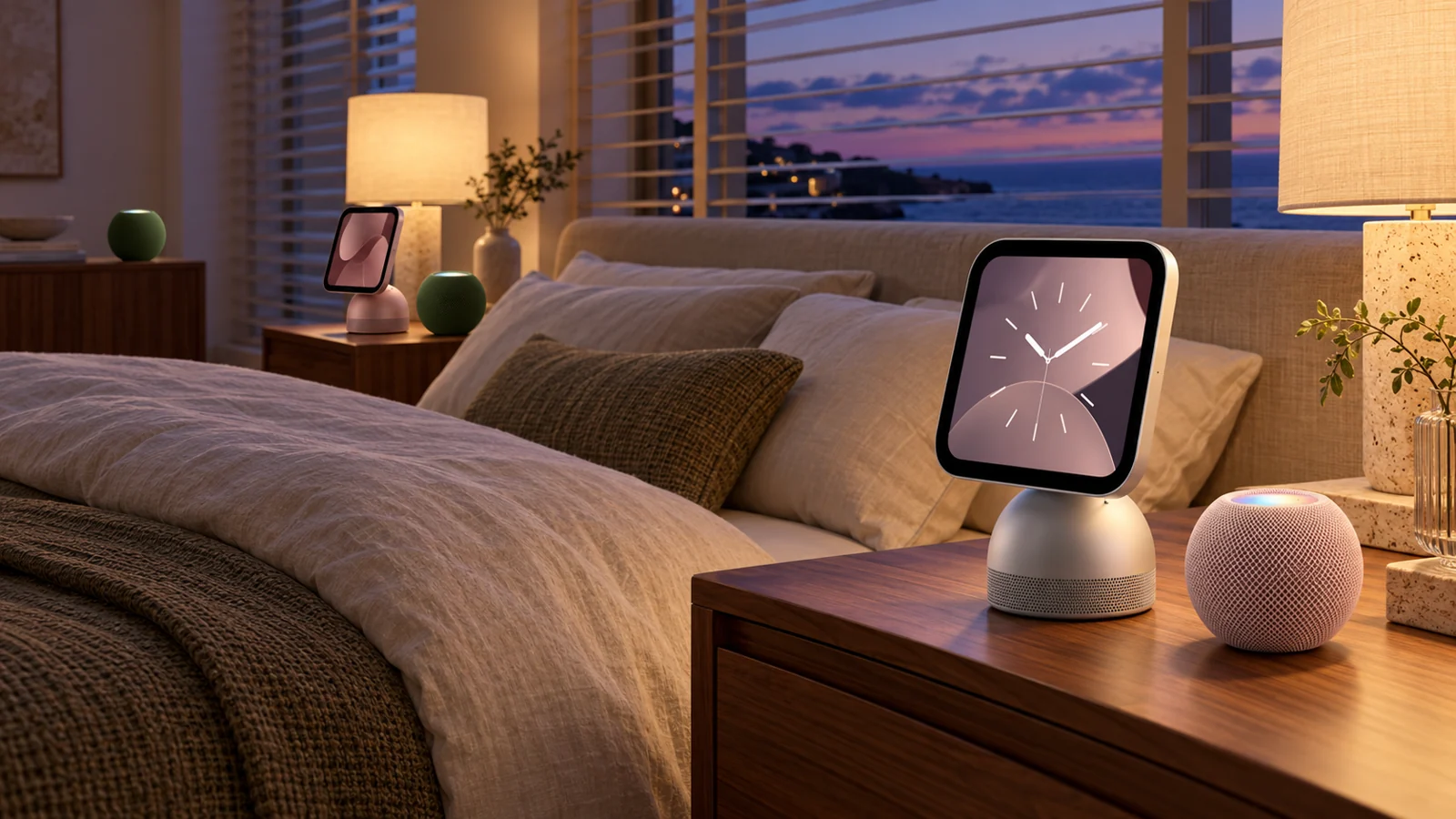
04 / Your preferred screen
Foundation first
Home selection, settings and remote control.
In the pilot
Onboarding, conversation and approvals.
Next
Room overview and household control.
Agent first · companion next
The Mac mini home agent and a separate desktop companion.
Later
Quick scenes, status and approvals.
Later
A shared home dashboard and scenes.
A future extension: IPTV on tvOS.
An IPTV player for content from around the world, with a beautiful, intuitive viewing experience. This is a future expansion—not a launch promise or a confirmed twelve-month delivery. Content access and subscriptions would depend on the supported services.
All six experiences are planned. Watch and TV follow reliability gates; no apps are presented as released.
05 / Conversation, your way
Optional target connections via MCP or supported tools. First-party apps and chatbot connections use the same selected home, household memory, authorization and policy.
Ordinary consumers should not need to configure MCP. Chatbot subscriptions are separate, optional services. No partnership, endorsement or universal compatibility is claimed.

“Follow the sun. Keep the glare off my screen.”
Cauchy’s proposed contribution is understanding your comfort preference and improving an approved routine—not inventing solar blind tracking. Any device control requires verified Matter support.
06 / A deliberately small beginning
Launch control is limited to a small validated catalog of native Matter devices.
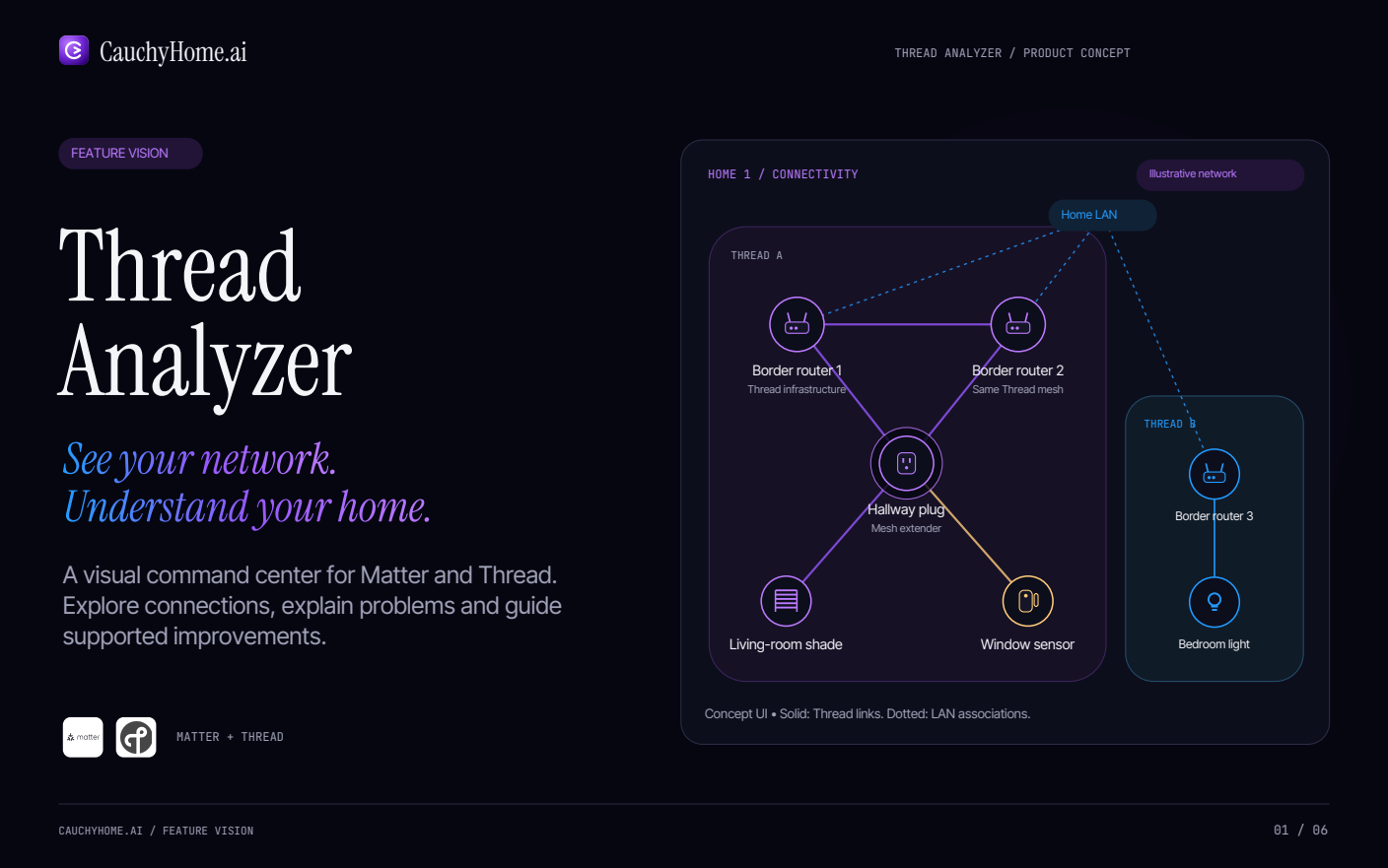
Prefer Matter over Thread through a supported Thread border router. Matter over Wi-Fi or Ethernet is allowed when appropriate. A Mac mini hosts the Cauchy agent; the separate border router connects the Thread network.
Outside the initial offer: bridges, vendor-only controls, cameras and vehicles. Existing Caséta or Serena equipment is not represented as native Matter or Thread. Compatibility must be validated; standards references do not imply certification.
07 / Local control, clear permission
The proposed architecture keeps device credentials, detailed household memory and approved routines in the home.
Cloud AI receives the conversation and task-relevant information needed for a request. Optional local AI is part of the vision. Basic approved local routines and physical controls should remain useful during a cloud outage.
You choose what needs approval and what can become a routine.
Pause actions and revoke household or installer access.
Review actions, corrections and changes to preferences.
08 / Why CauchyHome
A coherent, managed experience: guided setup, a verified device catalog, careful interpretation of preferences and installer support.
We intend to evaluate unwanted actions, ambiguous requests and household conflict before expanding autonomy. Reduced corrections and maintenance are benefits to prove, not achieved metrics.
Home Assistant already offers breadth, configurability, AI and MCP capabilities. CauchyHome’s intended distinction is the managed learning experience—not AI, MCP, local execution or Matter alone.
09 / Homeowners and installers
You are the customer. You own the account and permissions. Qualified technical early adopters may use a guided self-install route with a Mac mini.
Our primary launch and support channel. Installers qualify devices, commission networks and support homes. Their access is explicit and revocable.

10 / A predictable subscription
Cauchy apps are covered as they launch. Hardware and installation are separate. Optional third-party chatbot subscriptions are separate too.
Pilot pricing will be shared with selected participants.
No purchase or provisioning is available on this site. Explore the proposed pilot before applications open.
New feature vision / In development
See your network. Understand your home. A proposed visual command center for Matter and Thread, with clear explanations and supported next steps.
In development